Target Selection
In ターゲットTarget, you choose the destination layer for the Progress Control P and the Value Control V.
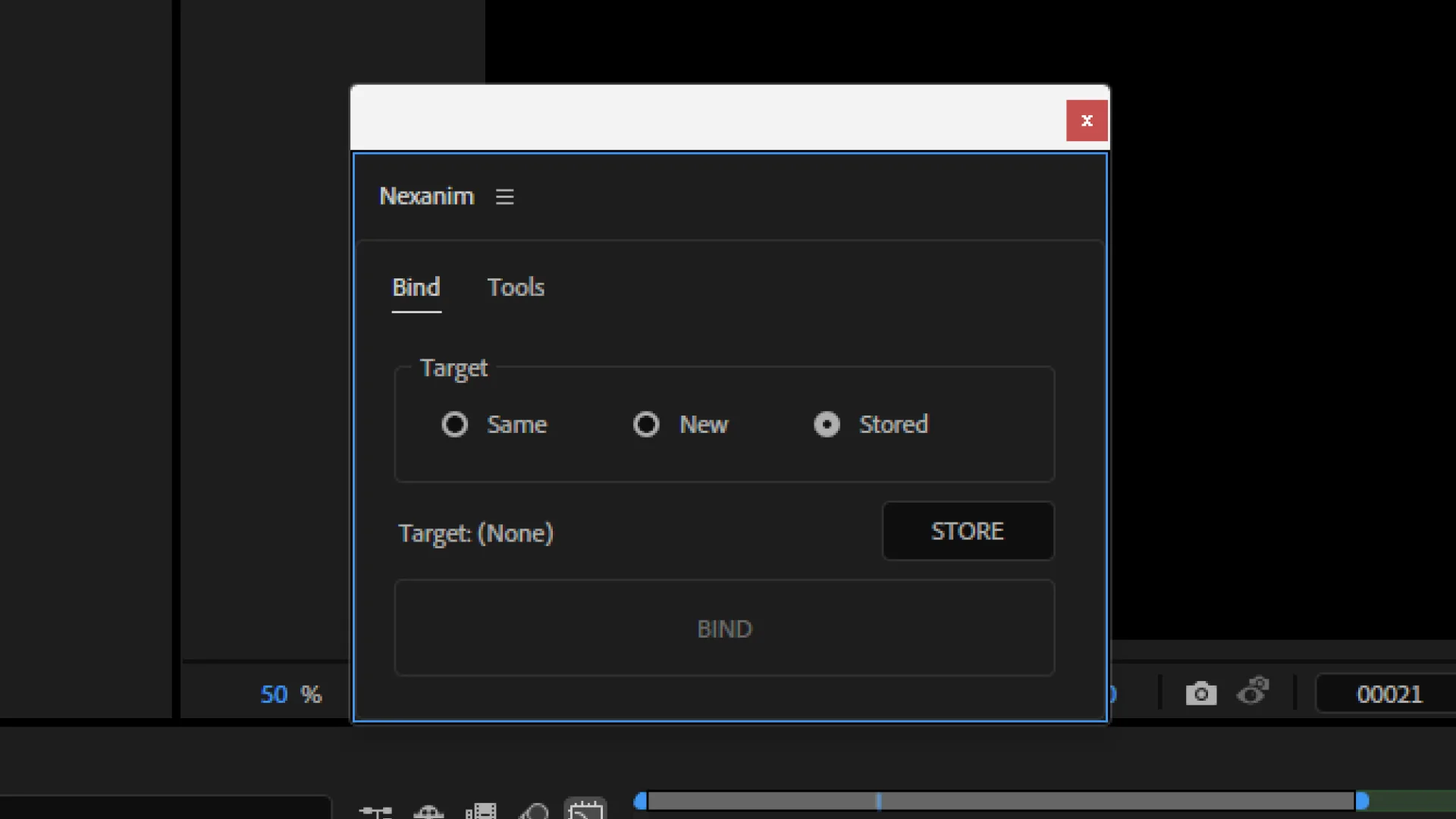
| Target | Destination | Use case |
|---|---|---|
同レイヤーSame | Same layer | When you want to keep everything on the same layer |
新規New | New control layer | When you want a dedicated control layer |
登録先Stored | Layer stored with 登録STORE | When you want to consolidate controls on a specific layer |
同レイヤーSame
Creates controls on the layer that contains the selected property. This keeps the timeline clean, so unless you have a special reason, we recommend 同レイヤーSame.
It cannot be used on layers that cannot receive effects, such as cameras or lights.
新規New
Creates a new control layer and manages controls there.
As the number of properties controlled by Nexanim grows on a single layer, the Effect Controls panel can become cluttered. 新規New and 登録先Stored are suitable when you want to avoid that.
The label of newly created control layers follows 新規コントロールレイヤーのラベルNew Control Layer Label set in Settings.
登録先Stored
Uses the target layer stored in advance with 登録STORE as the destination.
登録先Stored references a layer by its name within the same comp. If multiple layers share the same name, or if you rename the layer after running 登録STORE, it may not point to the intended layer.