Settings
You can customize layer labels, control ID generation rules, and the display language.
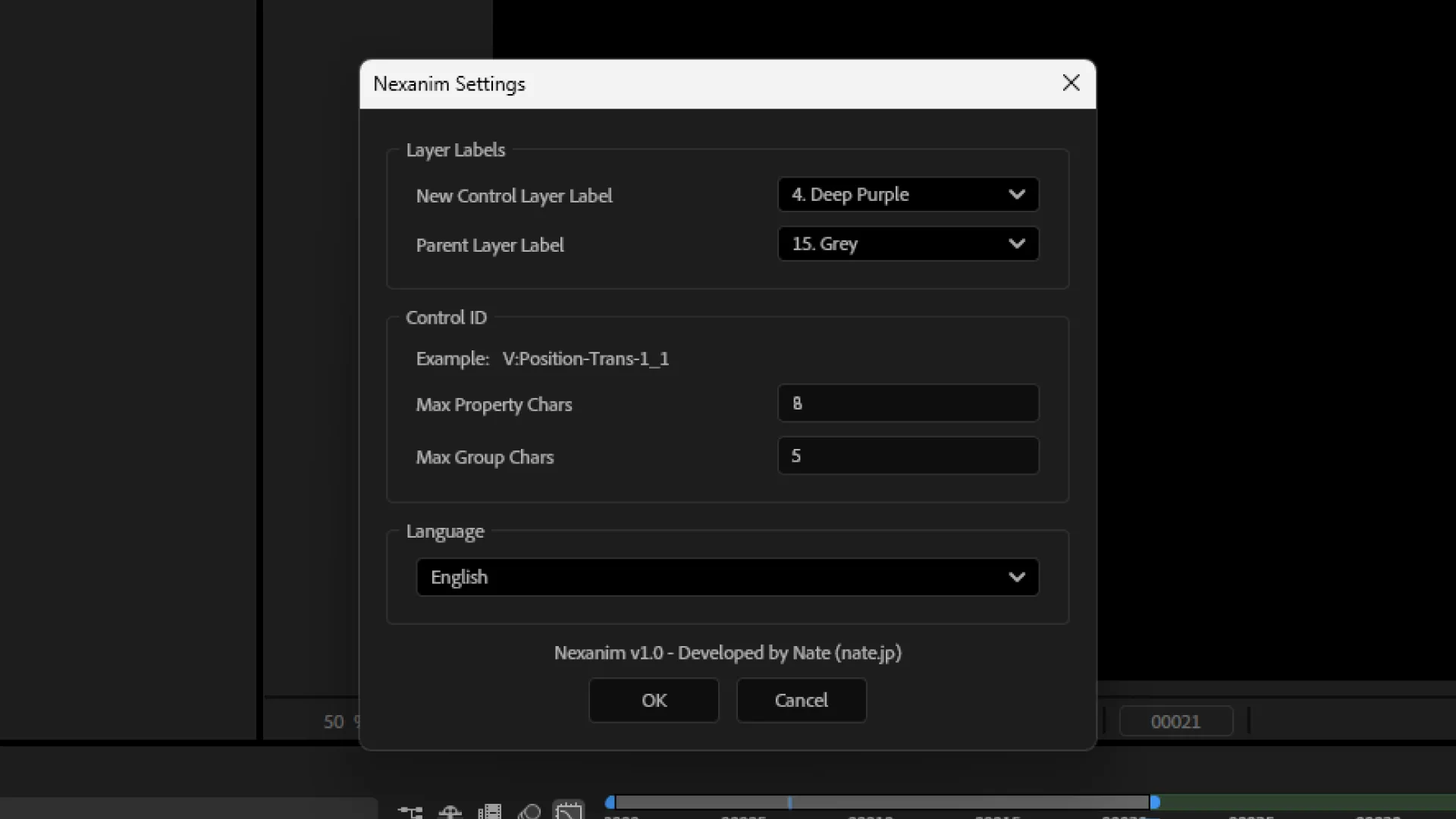
レイヤーラベルLayer Labels
レイヤーラベルLayer Labels lets you set labels for newly created layers.
| Item | Details |
|---|---|
新規コントロールレイヤーのラベルNew Control Layer Label | Label for the control layer created by 新規New |
親レイヤーのラベルParent Layer Label | Label for the parent layer created by 親を作成Create Parent |
コントロールIDControl ID
Control IDs are names Nexanim generates to identify the Progress Control P and Value Control V based on After Effects property names and group names (example: 位置-トランスフ-1Position-Trans-1).
コントロールIDControl ID lets you adjust the control ID generation rules.
| Item | Details |
|---|---|
Example | Shows a sample of the generated control IDs. |
プロパティ名最大文字数Max Property Chars | Maximum length for property names (e.g., 位置Position) |
グループ名最大文字数Max Group Chars | Maximum length for property group names (e.g., トランスフォームTransform or effect names) |
Adjust these values to balance readability and uniqueness. The settings apply to control IDs created by subsequent バインドBIND runs.
言語Language
言語Language lets you choose Japanese or English for the UI. The display language affects UI labels such as tab names, as well as tooltips and alerts.
Last updated on