Challenges & Solutions
1. Curve Distortion When Changing Values
In After Effects, changing a value on the timeline can also change the easing curve.
As a result, adjustments like “keep the easing but change only the end value” are difficult, and each change requires re-tweaking the Graph Editor.
Nexanim’s Solution
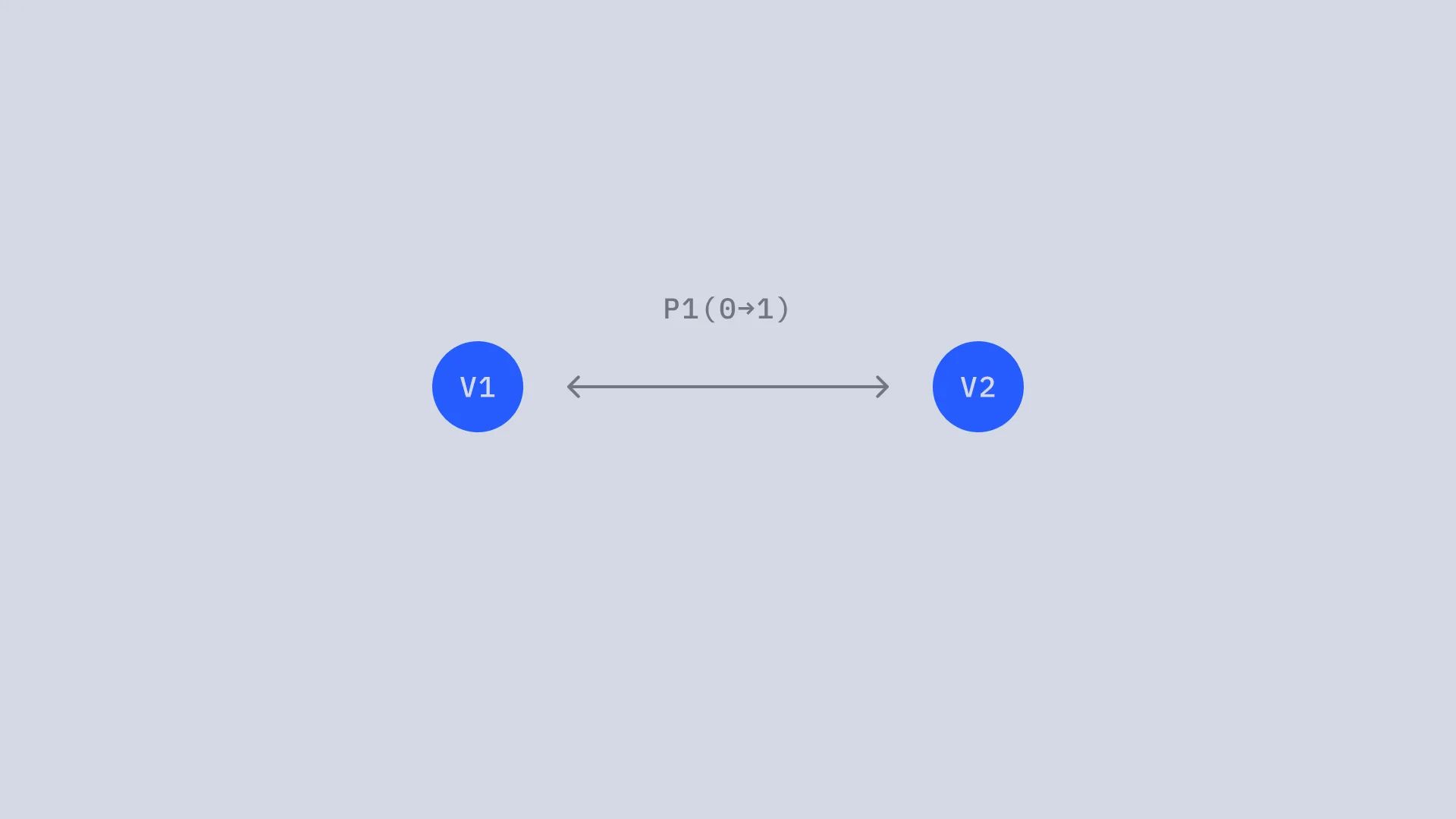
Because Nexanim separates easing defined by the progress control from the value itself, you can adjust values independently without affecting the easing.
2. Difficulty of Synchronization
When you want multiple properties to animate with the same timing and easing, it is common to copy easing using an external script. However, the copied curves are not kept in sync, so you have to copy again every time you adjust the curve.
Nexanim’s Solution
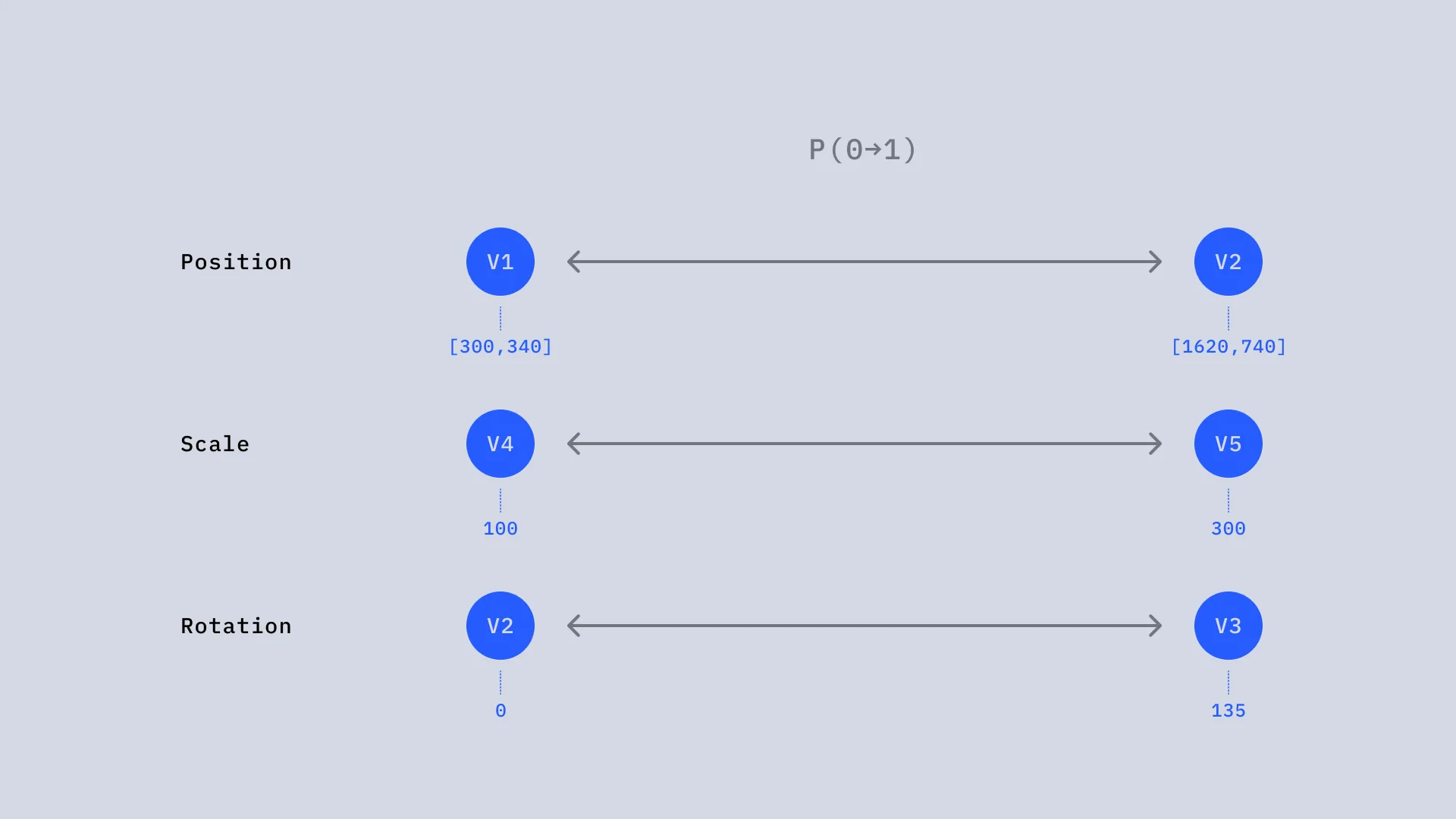
Nexanim’s progress control is always a normalized value from 0 to 1, so different properties can reference the same progress control. If you link them with the pick whip, adjusting a single control keeps all related animations synchronized.
3. Fixed Values
Values placed on the timeline are only fixed values at that moment.
Even in multi-stage animations, you cannot define each stage as a formula. To link values with other properties or layers, or to define values with functions, you need more cumbersome methods such as expressions or parenting.
Nexanim’s Solution
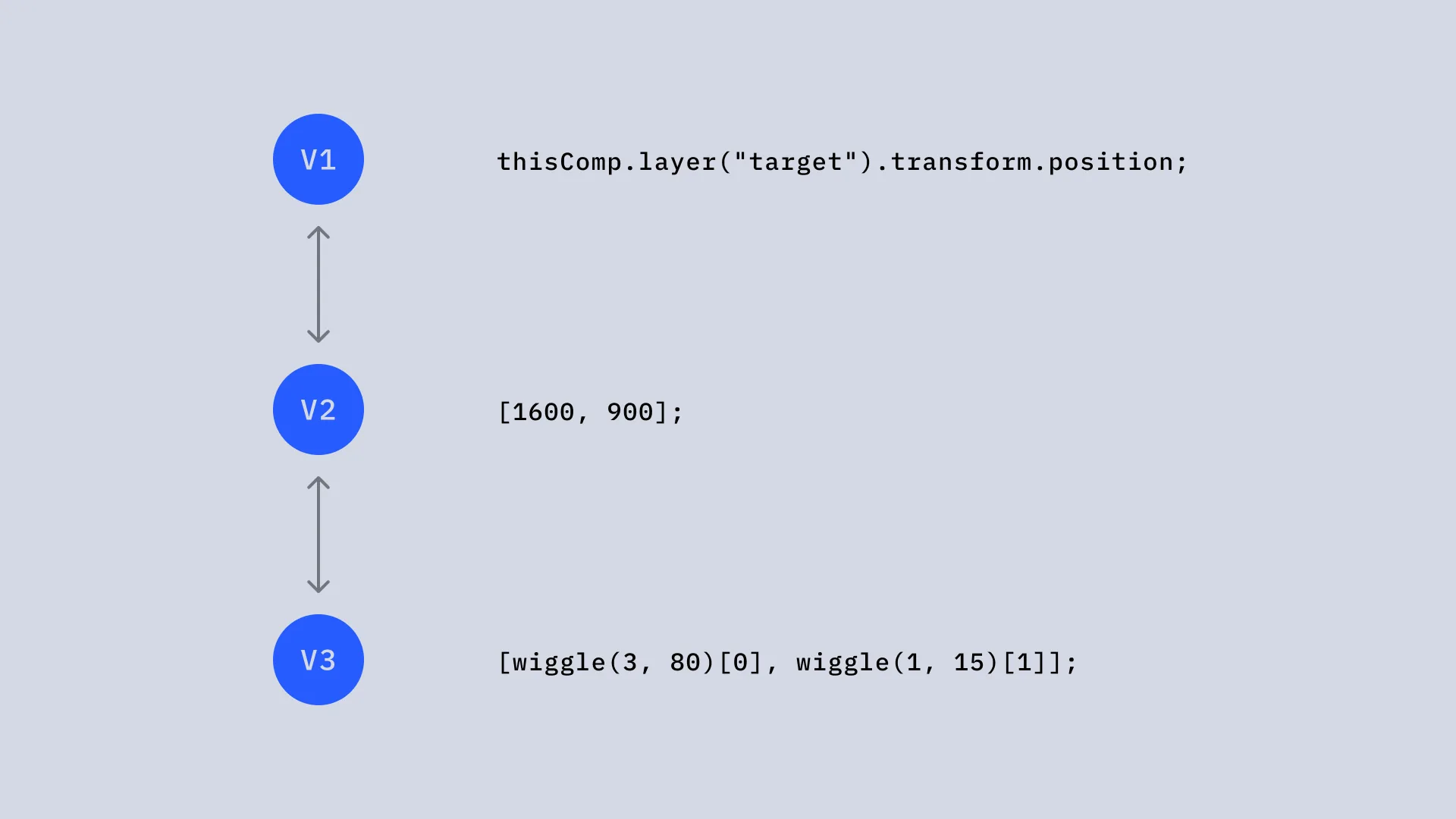
With Nexanim, each stage’s value control can be defined with either expressions or static values. Because you can separate formulas by stage, you do not need to bloat a single expression with complex conditional branches, which makes maintenance much easier.